Musix

Make songs from your own words.

Write or say your words, pick a style, hum a tune — and Musix turns it into a song you can sing along to. Then change it, record yourself, and save it as an MP3.

Free · Mac and Windows · updates itself

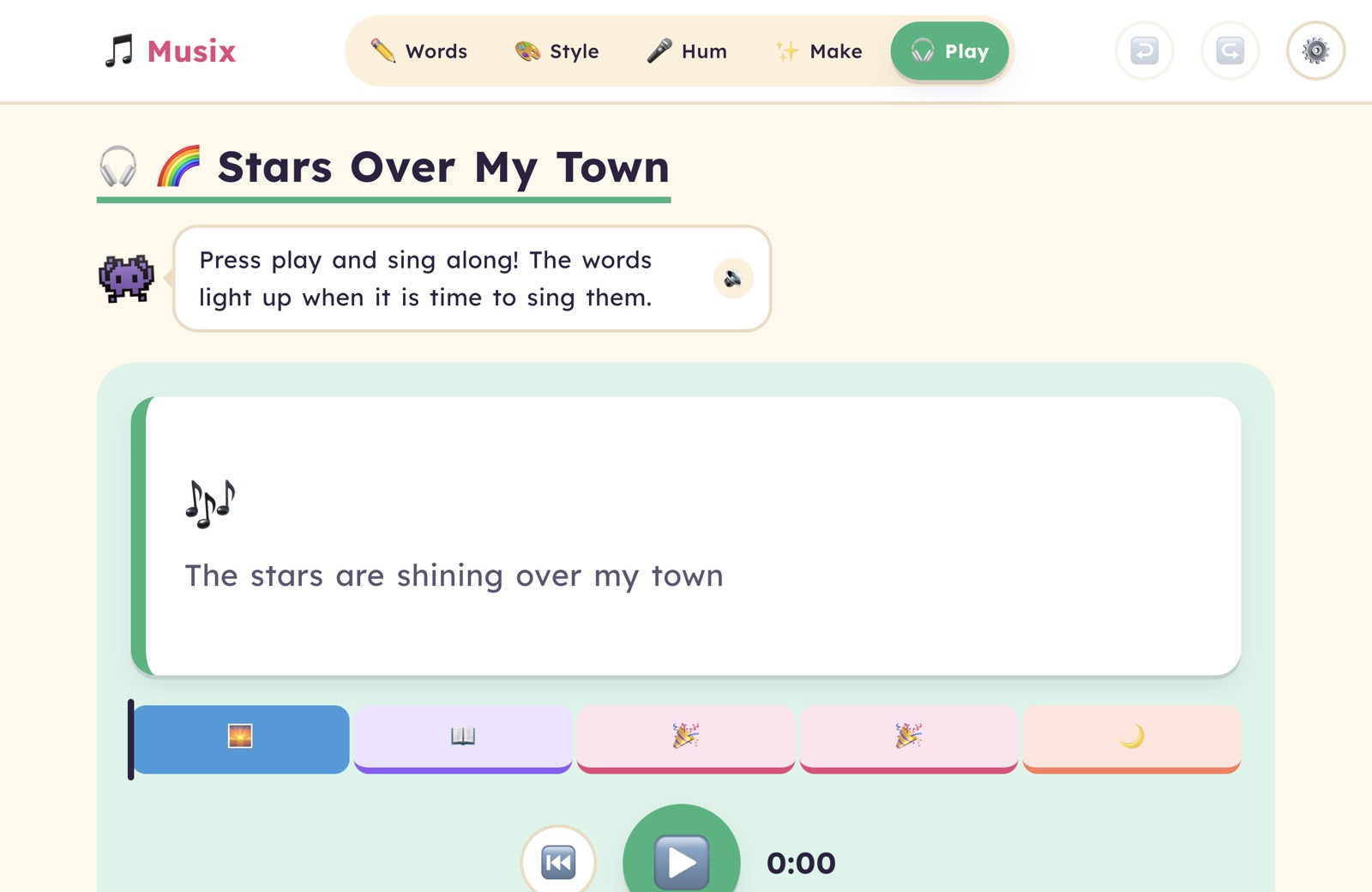
The Musix sing-along screen, showing the song Stars Over My Town with its words and a big play button

Five steps to your song

Big buttons, colours for every step, and Mo the music monster to help.

  1. Words

    Type them, or just say them out loud.

  2. Style

    Pop, rock, lullaby… or describe your own.

  3. Hum

    Got a tune in your head? Hum it in.

  4. Make

    Chords, drums and a tune that fits your words.

  5. Play

    Sing along as the words light up.

✏️ Words

Your words, your song

Each part of the song gets its own coloured box — verse, chorus, bridge. Stuck for a line? Tap Ideas for rhymes and next lines, and pick the one you like.

  • Say it instead of typing it — speech-to-text built in
  • Rhyme and next-line ideas, never written for you
  • Undo for everything, so nothing is ever lost
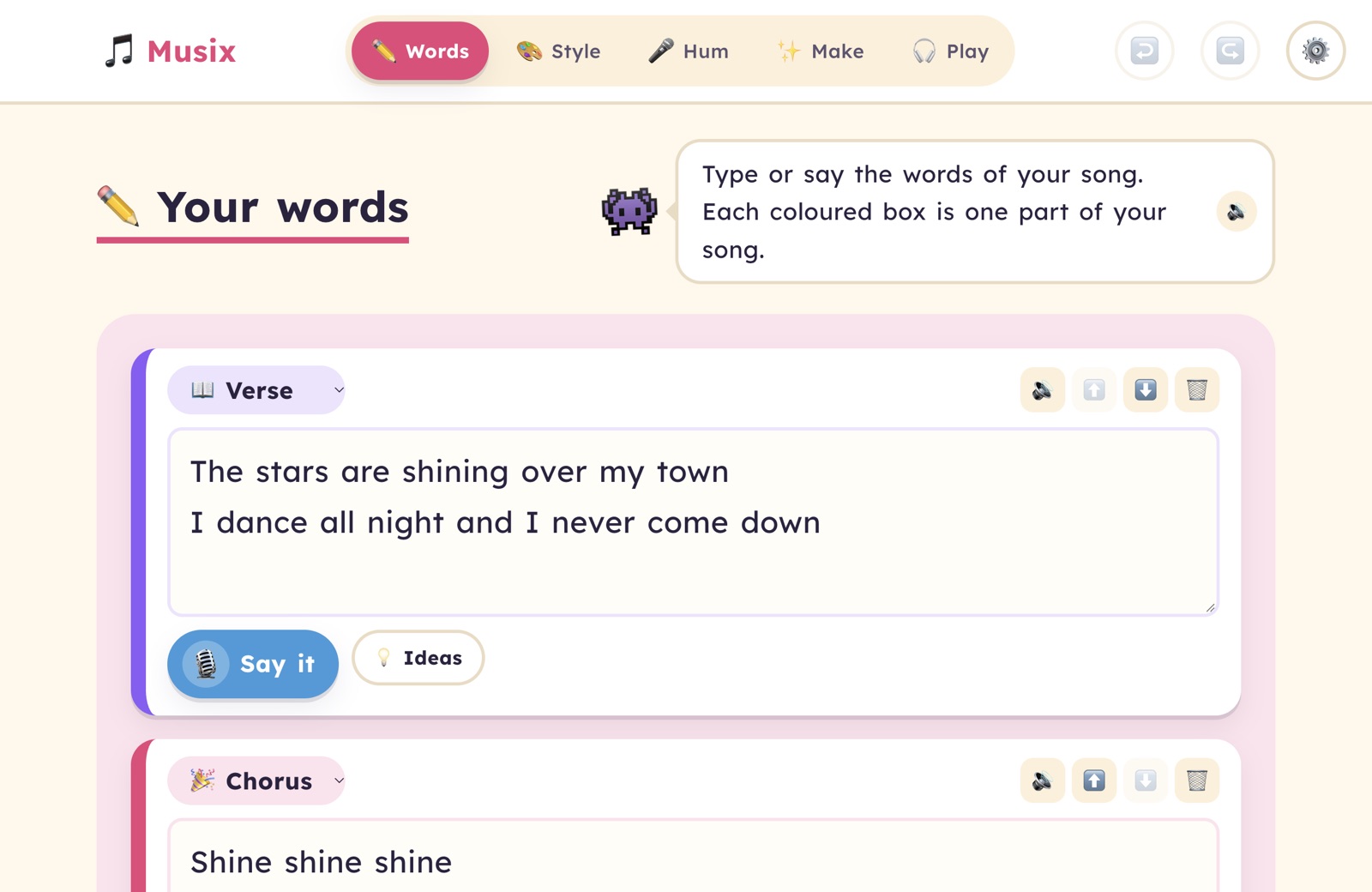
The Words screen with a verse and chorus in coloured boxes, a Say it microphone button and an Ideas button
🎨 Style

Pick a sound — or describe it

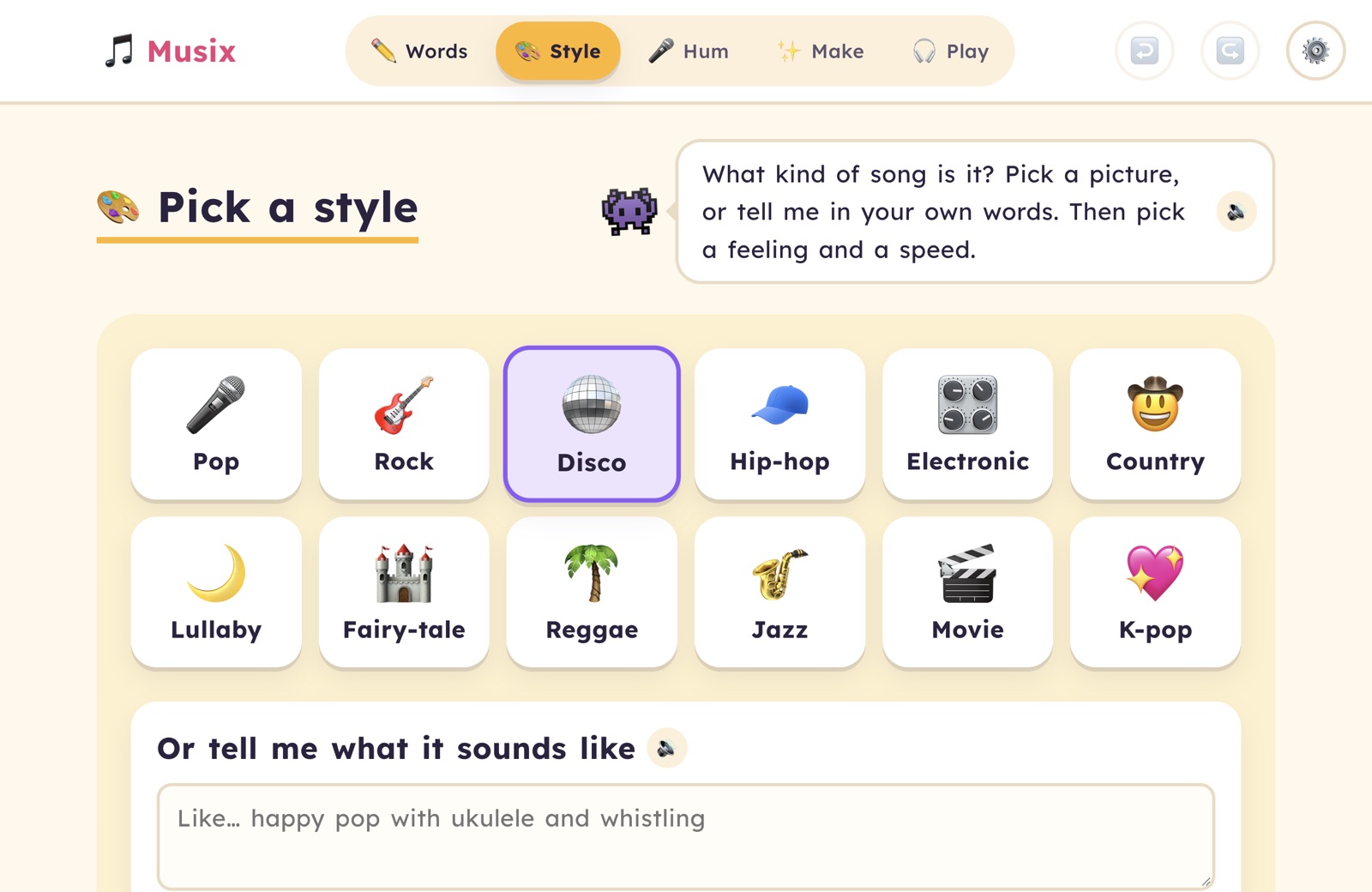
Tap a picture card to hear a quick taste. Choose a mood face and an animal speed, or just tell Musix in your own words: “spooky but bouncy, like a haunted fairground.”

  • Twelve styles, from pop and rock to lullaby and reggae
  • Change instruments, chords, speed and key whenever you like
  • Optional “magic band” for a studio-sounding backing track
The Style screen with colourful picture cards for each music style

Everything reads aloud

Tap the speaker, or press and hold anything, to hear it in a friendly natural voice.

Easy to read

A clear, rounded font with an OpenDyslexic option, big text and calm colours.

Made for touch

Big buttons and no fiddly dragging — works great on touch-screen laptops.

Sing and record

Record yourself over the music, try lots of takes and star your favourite.

Save it and share it

Export an MP3 with your cover picture, or save a .musix file to keep.

Your songs stay yours

No accounts, no sharing, no ads. Songs are saved on your own computer.

For grown-ups

Musix is free and open source. The song-making AI runs through OpenRouter, using your own key — so you stay in control of what it costs.

Getting started

  1. Download and install Musix (buttons above).
  2. Create a key at openrouter.ai/keys — you can set a spending limit on it.
  3. In Musix, open ⚙️ Settings, press and hold Grown-ups, answer the sum, and paste the key.

Without a key Musix still works: a built-in composer writes the music, words are typed instead of spoken, and the computer’s own voice reads aloud.

What it costs

Composing a song and speech-to-text cost fractions of a cent. Natural read-aloud is about $0.0002 per phrase, then free once it’s been heard. “Magic band” tracks and cover pictures cost about $0.08 each, with a daily limit you set.

First launch

Mac: right-click the app and choose Open the first time.
Windows: if SmartScreen appears, choose More info → Run anyway.

Ready to write your first song?